
Approving SAP Workflows from Telegram with ABAP
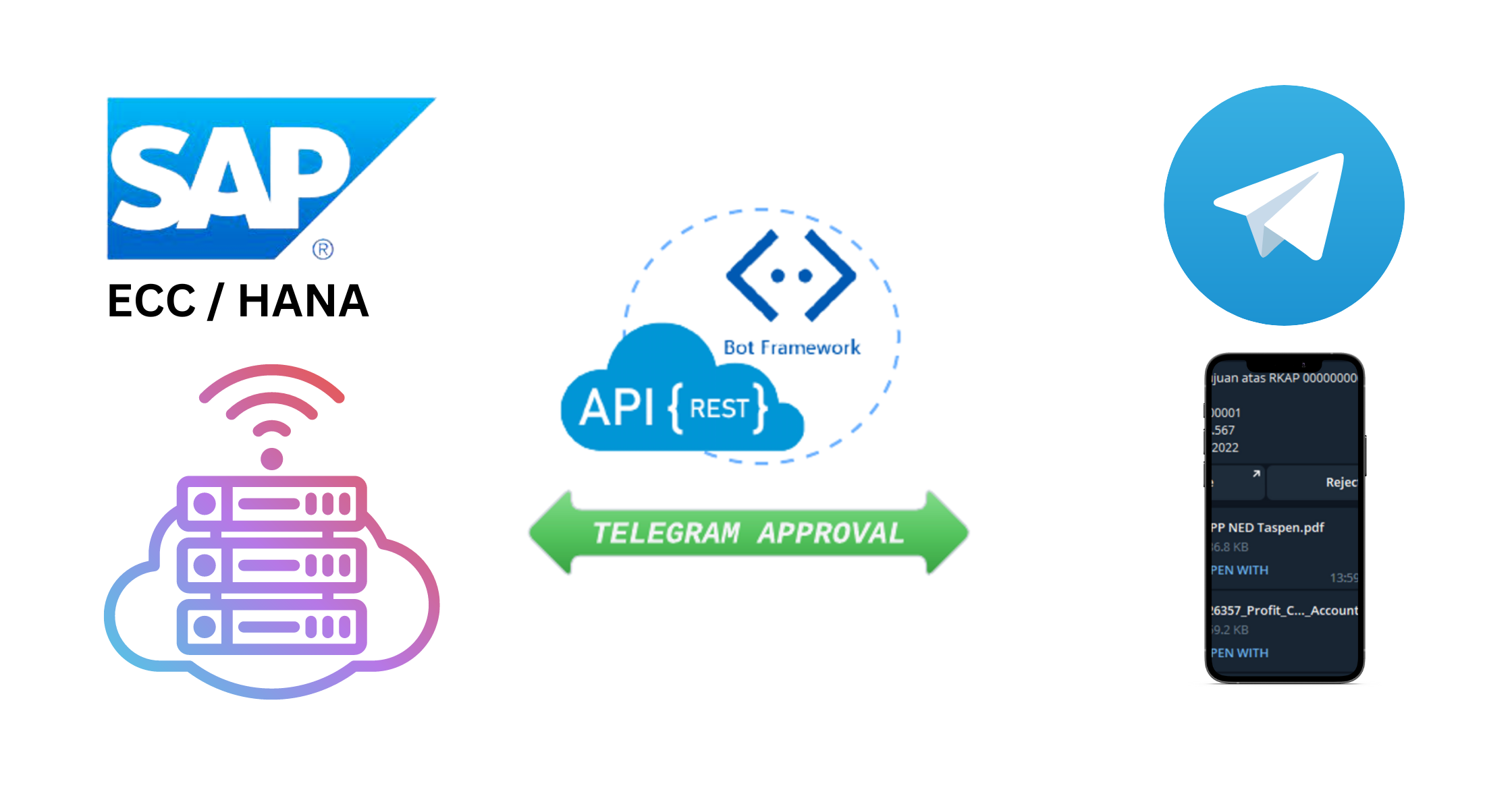
SAP approval workflows are usually stuck behind email or SAP Business Workplace, which means an approver has to be at a desk to sign off on anything. We rebuilt the approval step to run over Telegram instead. Same SAP workflow engine underneath, but the human in the loop can approve or reject from a phone.
This assumes a standard SAP workflow is already configured: the piece we are replacing is only the approval notification and decision step.
How the flow works
- The workflow starts on task TS90000064 as usual.
- Function module ZFM_TELE_CONFIRM_APRV handles the approval action, taking the description, work item ID, chat ID, and document number.
- Once the work item status is READY, ZFM_SEND_TELE1 pushes the approval request to Telegram, and ZFM_SEND_FILES_TELE (paired with ZFM_GET_ATTACHMENT) attaches any supporting documents.
Approve or reject
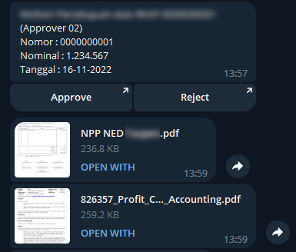
The approver sees two buttons in Telegram. Approve triggers a SAP API call: after login confirmation, SAP_WAPI_DECISION COMPLETE runs via the ZCL_REST_GET_DICISION class with dickey=1, and the requester is notified the item was approved.
Reject follows the same API path with dickey=2, but the bot then asks the approver for a reason. That reply is pulled back through the Telegram Bot API (getUpdates), parsed from JSON into an internal SAP table by ZFM_GET_API_TELEGRAM, and passed into SAP_WAPI_DECISION COMPLETE alongside the rejection.
Want this applied to your business, not just read?
Our consultants are happy to walk through how this would land in your environment.